Como realizar exames de programação com o Visual Studio ou o VS Code
Let students write real code in the IDE they already use.
O Desafio
Coding courses need to assess students in the actual tool they'll use professionally, a real IDE with real debugging and a real file structure, not a stripped-down browser text box that behaves nothing like Visual Studio or VS Code. But a coding exam still needs starter files distributed consistently and every student's work collected reliably, by question, without submissions arriving as a random assortment of file names in someone's inbox.
Como funciona
Build & upload ZIP
Code in your IDE
Files submitted
Graded in TomaGrade
Admin builds the starter ZIP and picks the IDE
Add an External IDE Question, upload a ZIP of the relevant files and folders, and select which environments are allowed: Visual Studio, VS Code, or both.
Student works in their own IDE
The student gets the ZIP for that question and writes their solution locally, in whichever environment was enabled, with the real IDE's full feature set intact.
Finished files submit with the exam
The student's files upload back into TomaEtest as part of that question's submission, no separate email or file-sharing workaround.
Grader downloads and marks the code in TomaGrade
Files come back organized by student, then by question, ready to open locally. Any local edits don't save back automatically, so a changed file needs re-attaching, and the final grade is always entered in TomaGrade.
Veja na aplicação
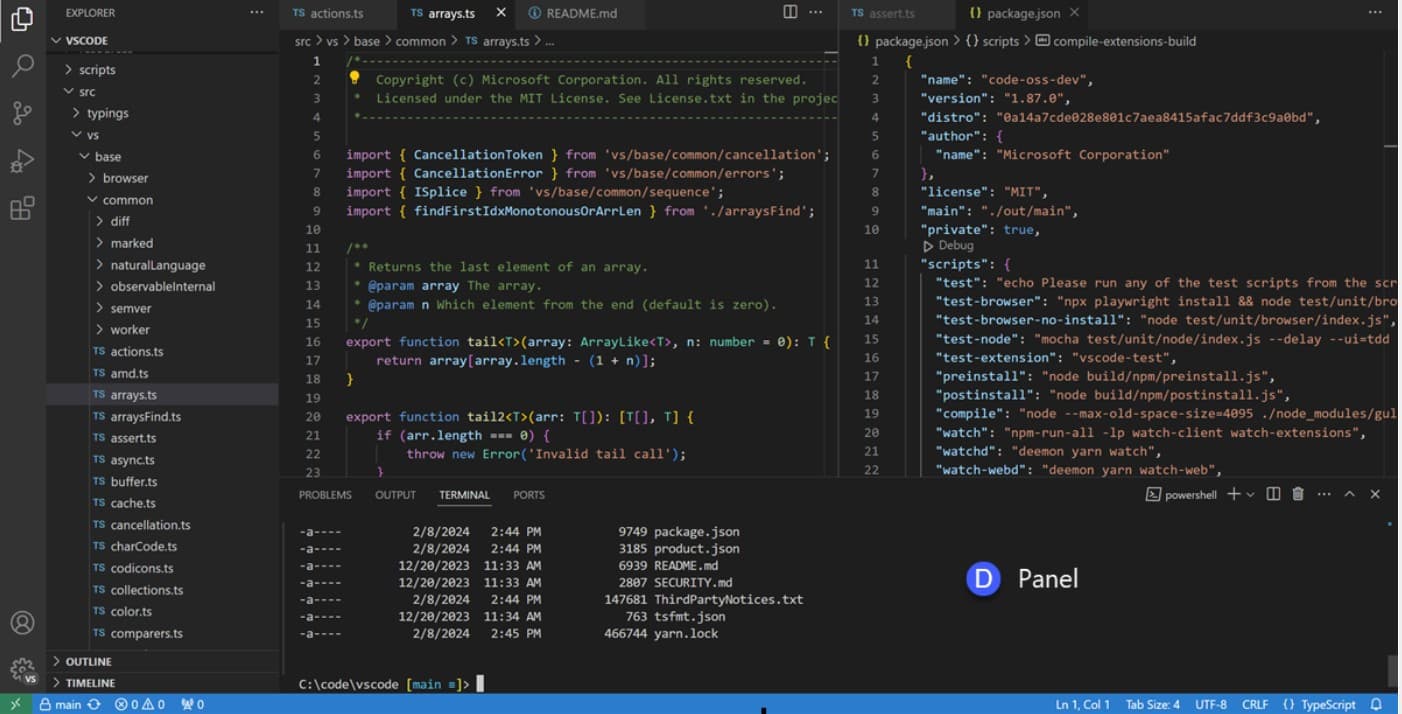
The real Visual Studio Code, unlocked and full-featured, the same editor students already know.
A quem se destina
Any program that needs to examine students writing real code, not answering multiple-choice questions about it:
Desenvolvido por
TomaEtest
The External IDE Question type distributes the starter ZIP and collects each student's finished files as part of the exam submission.
TomaGrade
Organizes submitted files by student and question, so graders can download, review, and mark code without chasing down individual attachments.
Mais casos de utilização
Como adicionar digitalizações aos exames online
Os alunos resolvem problemas de matemática, química e engenharia à mão e, no final do exame, digitalizam as páginas com a aplicação Tomax, sendo estas automaticamente associadas à resposta correspondente para avaliação no TomaGrade.
Ler o guia →
Como utilizar o Excel de forma segura em exames online
Permita que os alunos utilizem a sua própria versão do Excel pré-instalada durante um exame TomaEtest em modo restrito, com acesso à Internet, possibilidade de guardar ficheiros localmente e todas as outras aplicações no computador bloqueadas durante toda a duração do exame.
Ler o guia →
Queres ver isto configurado para os teus exames?
Conheça todo o processo de carregamento, revisão e classificação de digitalizações numa demonstração de 30 minutos.
Solicitar uma demonstração